Case study · In development · Software · Web · Data
Roll The Dice companion app
An installable app for a board-game café: what's on tonight, the week's diary, a dice roll that picks your game, and a portal where hosts plan sessions that people can book.
- automated tests in the Workers runtime
- 208
- from the café's sheet to the app
- 15 min
- n8n workflows behind it
- 6
- accounts needed to book a place
- 0
Summary
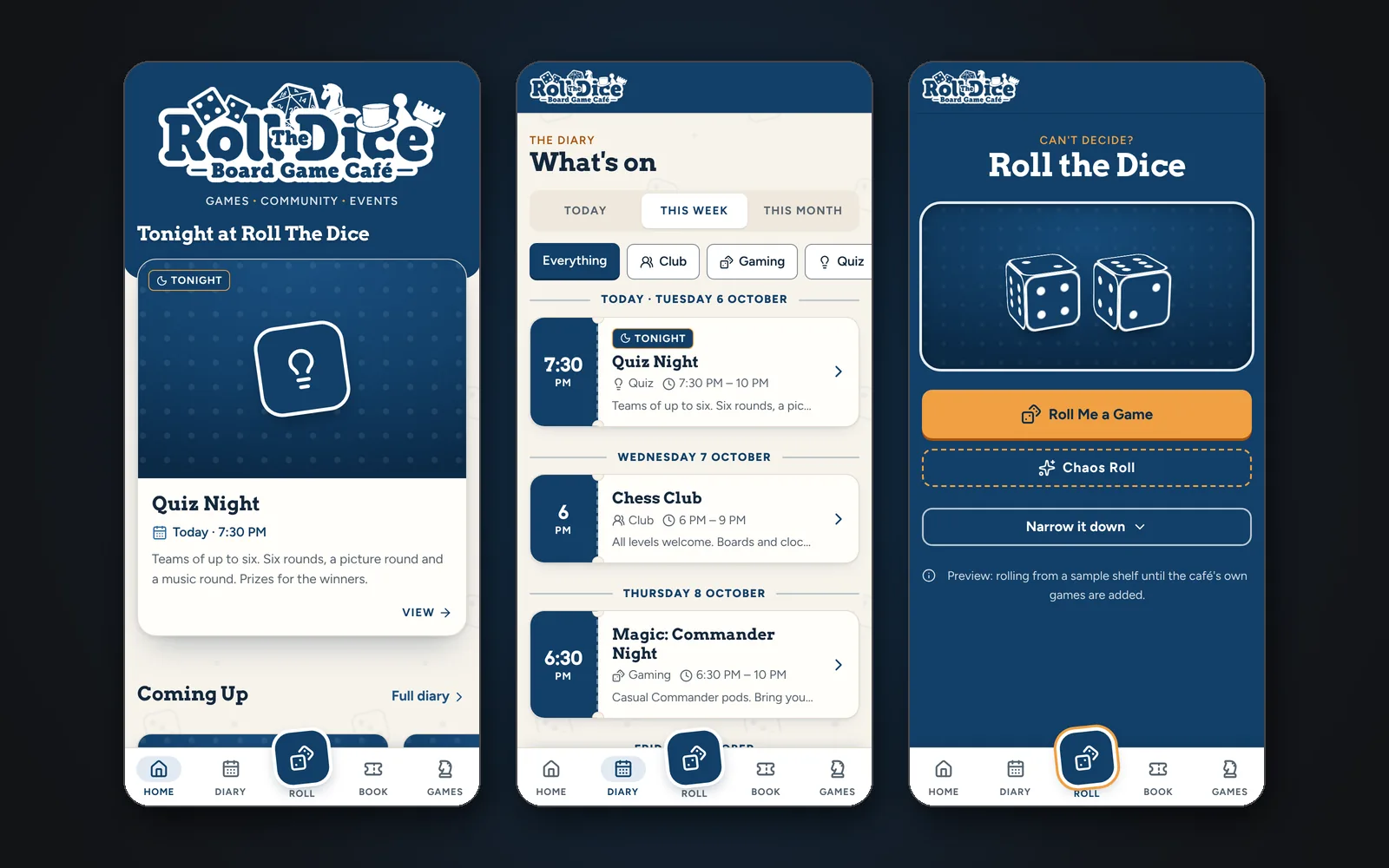
The café's events already lived in the Logic Engine sheet that drives its posters and posts. The app gives customers somewhere to look them up: an installable web app with a diary, event pages that go straight into a calendar, a 3D dice roll that suggests a game, and booking for hosted sessions. Behind it, hosts propose sessions, the café approves them from a phone notification, and approved sessions flow back into the same sheet.
The problem
A busy board-game café runs quizzes, clubs, D&D nights, markets and private group bookings. Customers found out what was on from Facebook posts that scroll away, and anyone who wanted to host a night arranged it by message. The café's sheet already drove its posters and posts, so whatever came next couldn't replace it.
The idea
Keep the sheet as the master and build the app as a copy downstream that can stand on its own. Every event gets a permanent ID. Every date becomes a record that is never overwritten. People sign in only where they have to, and the app never decides anything a person at the café should.
The architecture
- 01
Logic Engine
The café's Google Sheet. Every row now has a permanent Event ID, an App Visibility (Public, Private or Hidden) and an App Category.
- 02
Sync (every 15 min)
n8n sends the sheet to the Worker, which applies it idempotently: changed events update, moved dates keep their history, and a bad payload changes nothing.
- 03
Worker + D1
The public diary API, staff and host APIs behind Cloudflare Access, an audit log, and a queue of emails waiting to go.
- 04
The app
Home, diary, event pages, Roll Me a Game, booking and the host organiser. It installs like an app and the diary works offline.
- 05
Hosts and approvers
Hosts propose sessions. Approvers get a push and an email, and n8n writes approved sessions back into the sheet.
- 06
Back out
The n8n outbox sends booking and decision emails every five minutes. Open sessions join the round-up posts, and private ones are kept out of them.
The build
TypeScript on Cloudflare Workers with Hono, D1 for data, KV for photos and Access for sign-in. The app itself is Preact and Vite, themed from tokens taken from the café's logo, with every component on a /styleguide page. Ten database migrations so far, 208 tests running in the Workers runtime against a local D1, and screens checked from 320px phones to desktop. Every push to main deploys.
- Cloudflare WorkersThe API, the sync endpoint and the app, all served by one Worker
- Cloudflare D1Events, occurrence history, hosts, bookings and an append-only audit log
- Cloudflare AccessSign-in for staff and hosts, with no passwords kept by the app
- Workers KVEvent photos copied from Drive
- Preact + ViteThe installable app: diary, event pages, dice roller, host organiser
- TypeScript + HonoTyped routes for the public, staff, host and internal APIs
- Vitest208 tests in the Workers runtime against a local D1, including colour-contrast checks
- n8nSheet sync every 15 minutes, photos, team notices, host follow-ups and the email outbox
- Google Sheets & DriveThe Logic Engine stays the master record. Drive holds the photos
- Web PushApproval notifications on approvers' phones
The AI
There's no AI in the running app, on purpose: dates, visibility, capacity and approvals are rules, and rules belong in tested code. I built it with Claude Code as pair engineer, starting from a full specification and an audit of the café's existing automation before any code was written.
- No AI in the running app. Dates, visibility, capacity and who can approve what are rules, and they live in tested code.
- Built with Claude Code as pair engineer, from a written specification and an audit of the café's existing automation, with me reviewing every phase.
- The café's existing Gemini poster automation carries on alongside it, and now skips private sessions.
The automation
n8n carries on doing what it already did well. It syncs the sheet, copies photos, sends the team's notices and the booking emails, follows up with hosts the day after a one-off, and writes approved sessions back into the sheet. The app queues its emails, so nothing is lost if n8n is briefly down.
- RTD Event Sync copies the Logic Engine into the app every 15 minutes. Running it twice changes nothing.
- RTD Event Images copies the newest photos from each event's Drive folder every six hours.
- RTD Host Sessions To Diary tells the café about each submission and writes approved sessions into the sheet.
- RTD Team Notices, RTD Outbox and RTD Host Follow-up send join requests, decisions, booking emails and 'run it again?' invitations.
- Every push to main deploys through Workers Builds.
The data
Events and their dated occurrences (never deleted, only completed, cancelled or rescheduled), host sessions with their approval history, bookings with a private manage link, a record of every sync run, and an append-only audit log of every significant change.
The result
So far: one place for what's on that installs like an app, a way for hosts to plan a session without messaging anyone, and approvals from a phone notification, all running in a private preview. The sheet is still the master, so the posters and posts carry on exactly as before. It goes public once the café has run a real session through it end to end.
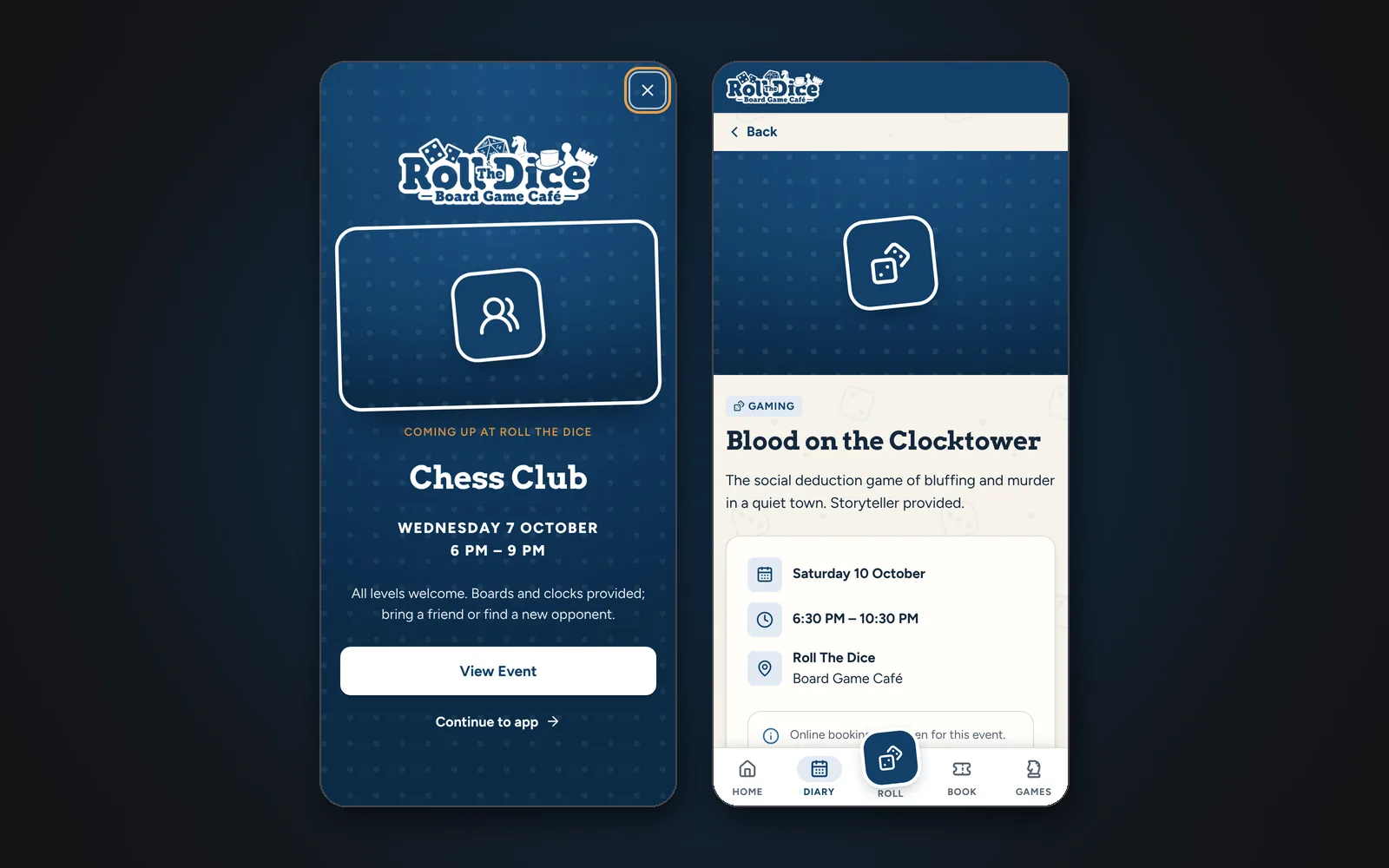
- Event pages add to Apple or Google Calendar, share with a preview that names the event, and keep a permanent /events/RTD-EVT-… link.
- Installs on Android and iPhone with an offline diary. The install banner knows when you're inside Facebook's or Instagram's own browser and tells you how to get out of it.
- Roll Me a Game: 3D dice with filters for players, time and style, plus a Chaos Roll.
- Hosts propose one-off or weekly sessions, open or private. Approvers get a push notification and an email, and approved sessions are written back into the café's sheet.
- Private group bookings show in the diary only as 'Private session', so the café looks busy without naming anyone, and they never reach a poster or a post.
- People book places on hosted sessions without an account, and manage or cancel from a link in their email. Hosts see who's coming and get the numbers two days before.
- Photos from each event's Drive folder appear on cards and event pages. Put 'noapp' in a file name and it stays out.
Hard parts
- The sheet changes underneath the app. When an event moves date, the old occurrence is kept and marked completed or rescheduled, never overwritten, so bookings and history always point at the right night.
- Monthly events used to roll forward automatically and sometimes guessed wrong. Now a monthly event that has passed emails the organiser for its next date instead.
- Push notifications on iPhone only work once the app is on the Home Screen, so the organiser explains that before it asks for permission.
- Private sessions had to be invisible everywhere except the diary's 'Private session' slot. That meant changing the existing poster and posting workflows as well as the app.
What I learned
Do the audit first. Mapping the café's sheet and workflows before writing any code turned up the missing event IDs and the monthly roll-forward that guessed dates. Both would have been much harder to fix once an app depended on them.